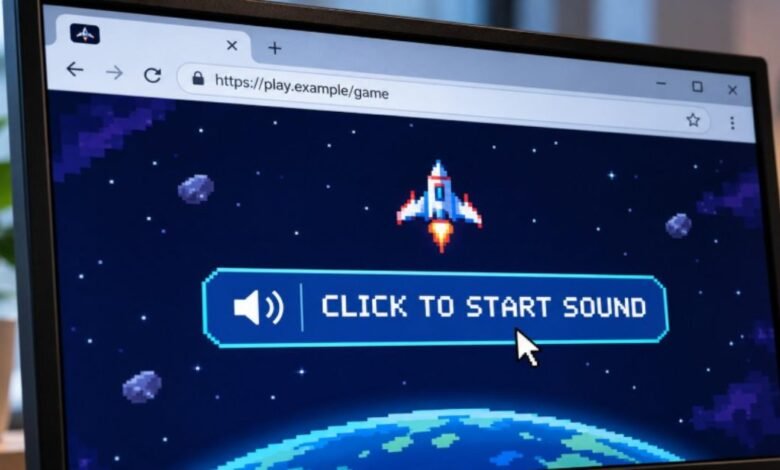
The menu loads, the animation moves, and every button appears to work. The only missing part is sound. Then you click inside the game and the music begins. That sequence can be an intentional consequence of browser audio policy, rather than a fault with the speakers.
A browser has to decide whether a page may start audible media without a clear action from the person using it. Games sit inside that decision just as video players and other interactive pages do. Loading the page and permitting audio playback are separate events.
Check which version of the game is running
A native application and a browser game do not pass through identical audio controls. Even when their menus look similar, the browser version must work within the page’s media permissions and lifecycle. A troubleshooting step for one version may therefore fail to address the other.
An installed pinball game belongs to a different troubleshooting path from a game embedded in a web page. Brace Gaming’s coverage of Bethesda Pinball’s platform and content details concerns the former type of release. Browser autoplay restrictions become relevant when the actual game runs inside a tab or embedded frame. Establish that distinction before changing audio permissions that may have nothing to do with the version you are playing.
Then separate the controls. The device can have an output-volume setting, the browser can mute a tab or site, and the game can have its own music and effects settings. A moving volume slider in one place does not prove that every other layer permits sound.
The first interaction can matter
Some pages need a recognised user action before they can begin audible playback or resume an audio context. That helps explain why a game can display graphics immediately while waiting to start its soundtrack. Visual rendering and audio playback do not necessarily become available together.
This is also relevant to browser-based casino games. A title in a collection of online pokies in NZ can have its own audio controls while still operating inside the browser’s wider playback rules. If a loaded game remains silent, distinguish its mute setting from the browser’s permission to start sound before treating the absence of music as a loading failure.
An ordinary menu interaction may resolve a blocked-start condition, depending on the implementation and browser. If it does not, repeatedly clicking unrelated controls provides little diagnostic value. The next useful step is to establish which layer remains muted or whether the selected output device is the one actually being used.
Follow the audio path in order
MDN’s autoplay guide for media and Web Audio explains the distinction between audible and inaudible media and the role of browser autoplay restrictions. It also makes clear why developers need to handle playback that does not start when requested. The page should respond to that state rather than assume the sound is already running.
A practical check begins with the device output, then moves to the tab or site, and finally to the game’s own controls. If headphones were connected recently, check whether the output changed. If effects work but music does not, look for separate in-game settings. That observation narrows the problem more effectively than describing everything as silent.
For developers, the interface should make the state understandable. A visible sound control can invite an explicit interaction, while the application checks whether playback actually began. A button that changes its icon without successfully starting audio can make the page look responsive while leaving the original problem unresolved.
Silence is a symptom with several possible causes. The useful clue is when it begins or ends. If sound starts immediately after a deliberate interaction, browser playback policy is part of the explanation worth checking. If it remains absent, follow the audio path rather than assuming the entire game has failed.