Playhop Free Games: How to Play Online Games for Free Without Downloading

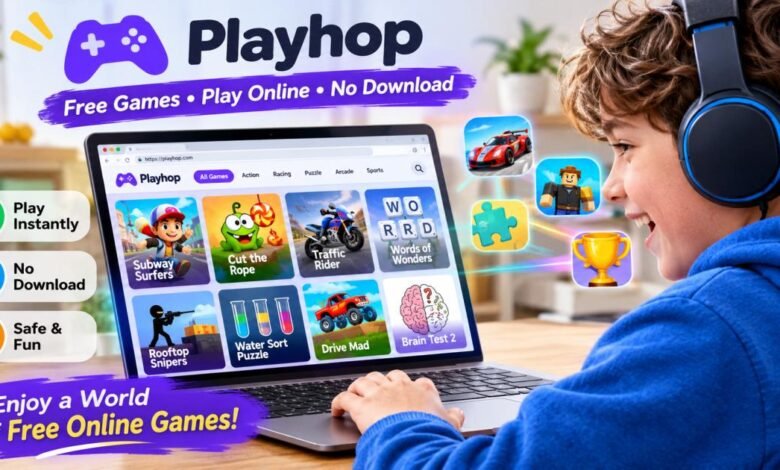
Playhop free games are HTML5 browser games that you play online at playhop.com, with no download and no installation. Open the site, pick a title, wait a few seconds, and play. Most games skip the account step too.
That is the whole process. The rest of this guide covers what most pages skip: which games deserve your time, who sets the age labels, and how to avoid fake Playhop sites. I read Playhop’s homepage, FAQ, About page, and terms of use on November 3, 2026, and I flag anything I could not confirm.
What Are Playhop Free Games?
Playhop free games are browser games hosted on one game portal, playhop.com. You open them in a web browser, so nothing downloads to your device. Ads pay for the site, which is why you do not.
Playhop is a catalog, not one game. Developers upload HTML5 games, and Playhop hosts them for instant play. The About page counts more than 20,000 published games and more than 3,000 developers. The homepage lists 30+ genres. The FAQ names Cut the Rope, Battle Arena: RPG online and Braveland Heroes among its well-known titles.
Direct Cursus Technology L.L.C., a company in Dubai, UAE, runs the site, according to its footer and terms of use. The interface comes in dozens of languages, including English, Spanish, Arabic, Hindi, and Japanese. Playhop also recommends games. Its FAQ says the system studies what you already played and suggests similar titles.
Plenty of sites list free games. Playhop free games differ in one way: scale. In a single sitting,g you can try a farming game, a rhythm challenge, a mahjong board, rd and a truck-tuning game without leaving the tab. That range explains why people search for playhop free games online, or simply for free browser games they can start in seconds.
How to Play Playhop Free Games Without Downloading
You play without downloading by opening playhop.com, choosing a game, waiting for it to load, and playing in your browser. These five steps work on any device.
- Step 1: Visit the official Playhop website. Type playhop.com into the address bar yourself. Search results also list look-alike sites, and some copy Playhop’s text word for word. A typed address avoids them.
- Step 2: Browse available game categories. On a computer, the category menu sits on the left, with New and Popular shortcuts above it. The menu I saw lists 24 categories, from Arcade and Puzzles to Racing, Horror,ror and Educational. The search bar works too.
- Step 3: Choose your favorite game. Click a card to open the game. Check the age label if the card shows one. Playhop does not write these labels. Game owners do, and not every card has one.
- Step 4: Wait for the game to load. Light puzzle games typically open in a few seconds. Large 3D games take longer, and an ad may play first. Give the game a moment before you refresh.
- Step 5: Start playing directly in your browser. Read the on-screen controls. You typically use a keyboard and mouse on a computer and your fingers on a phone. Some games work better in landscape mode.
Do you need an account to play?
No. Playhop works in guest mode, and the homepage says no login is required. The tag counts back this up: about 10,700 games carry the ‘no registration’ tag on the homepage.
An account adds two things, according to the FAQ: saved progress and personal recommendations. You can sign up with an email address or a social network. Skip it for a five-minute break. Register if you play a game with levels, upgrades, ads, or a long story.
What Types of Free Games Are Available on Playhop?
Playhop offers action, adventure, racing, puzzle, arcade, casual, sports, and simulation games, plus horror, strategy, card,d and board games. The menu I saw lists 24 categories, and the homepage mentions 500+ tags for finer filtering. Here is what each main group looks like.
Action and Adventure Games
Action games center on combat, shooting and fast reactions. Fortzone Battle Royale is a current example. Adventure games move more slowly. Klondike: The Lost Expedition, for instance, mixes farm building with exploring a northern frontier.
Horror has its own category. It includes Five Nights at Freddy’s and Granny, and neither game suits young children.
Racing and Driving Games
The Racing category covers cars, trucks, ks and off-road vehicles. Offroad Outlaws lets you tune a truck from scratch, then drive open trails through mud, mountains and desert. Racing fits browser play because the goal is obvious: finish first. You rarely need a tutorial.
Puzzle and Brain Games
Puzzles are the deepest section. Its first page lists at least seven mahjong games, plus match-3, word search, number puzzles and jigsaws. The tag counts on that page show about 4,750 games tagged ‘attention’, 3,500 tagged ‘brain training’ and 3,200 tagged ‘logic’.
People also search for Playhop free games water sort. Water sort is a color puzzle: you pour liquid between tubes until each tube holds one color. Each level typically adds colors and removes spare space. I could not confirm a Water Sort title on Playhop’s puzzle pages on November 3, 2026, and the catalog changes weekly. Type ‘water sort’ into the search bar to check. If it returns nothing, filter by the ‘logic’ tag.
Arcade and Casual Games
Casual games suit short sessions. Playhop describes them as easy to pick up and hard to put down. Watermelon Game is a merge puzzle, Grow a Garden is a slow farming game, and Geometry Dash Wave: Original is a rhythm game where one wrong tap ends the run. Phones handle these well, because a thumb is often enough.
Sports and Simulation Games
The homepage sports picks included Soccer Aiming Simulator in 3D, Golden Kid: Football Career, and Basket Random. Simulators lean toward sandbox play. Melon Sandbox, BlockCraft and Sandbox Universe are examples, and Melon Sandbox carries a 16+ label.
Best Playhop Free Games to Try
The best Playhop free games to play depend on your mood: relaxed, fast, scary,y or mentally tough. These picks come from pages I read on November 3, 2026. Playhop adds games every week, so use them as starting points.
Popular Games for Casual Players
Hoby Tales mixes match-3 puzzles with fairy-tale quests. Grow a Garden lets you plant seeds and tend a garden at your own pace. Squishy Merge: Dumplings and Butter and Watermelon Game give you easy drop-and-merge play. Mahjong Solitaire Meditation is the quiet option.
Best Games for Action Lovers
Fortzone Battle Royale suits shooter fans, and Geometry Dash Wave: Original tests timing instead of aim. Granny Original gives you five days to solve puzzles and escape a locked house. In Five Nights at Freddy’s 2, you survive the night shift with a flashlight and a mask.
Many readers arrive looking for Roblox Playhop free games. Playhop is not Roblox. It hosts browser games built in popular Roblox styles, and they are not official Roblox experiences. A Gfinity Esports article from May 2026 points to obstacle courses like Roblox Obby: Road To The Sky, tycoon games like Robux Tycoon – Build and Rich, and horror-room games like Doors and Rooms. These games open fast and run on modest hardware. They do not connect to your Roblox account, and nothing you earn carries over. A page that offers free Robux in exchange for your login is a classic phishing trick. For real Roblox, use roblox.com or the official app.
Fun Racing Games Worth Trying
Offroad Outlaws leads the racing picks, thanks to truck tuning and open trails. Car Destruction King also appears in Playhop’s recommendations. Open the Racing category for more, because new titles arrive weekly.
Challenging Puzzle Games
Mahjong fans have plenty of choice, including Mahjong Blast and Mahjong Classic. Duck Rescue: Screw Clear and Number Match offer a change of pace. Word Search and Jigsaw Solitaire fit slow afternoons. Match 3: Beautiful Village adds a village theme to the usual match-3 formula.
Can You Play Playhop Games on Different Devices?
Yes. Playhop games run in a web browser, so a laptop, tablet, Chromebook, iPhone, or Android phone can open them. Playhop’s homepage lists all of these devices. Its tag counts agree: more than 10,500 games carry the ‘mobile’ tag.
Playing Playhop Games on a PC or Laptop
A computer gives you a bigger screen, a keyboard, a mouse, and fullscreen mode. Windows, macOS, S and Linux all work if the browser is current. If a game runs slowly, close other tabs. Each open tab uses memory.
Playing on Android Phones and Tablets
Open Chrome, go to playhop.com, and tap a game. Rotate the phone if the controls look cramped. Android users can also install the optional app, listed on Google Play as Playhop: Offline&Online Games. Its listing says some games work without Wi-Fi or mobile data. Install it only from the Play Store, never from a link on another site.
Playing on iPhone and iPad
Safari and Chrome both work. I found no official Playhop app for iPhone or iPad, so the browser is the route. In Safari, tap Share, then Add to Home Screen, to get an app-style icon. Treat any page that offers an iPhone installer for Playhop as a red flag.
Browser Compatibility and Device Requirements
Any current browser works, including Chrome, Edge, Firefox, and Safari. Update yours, because HTML5 games rely on modern browser features. You also need a steady connection. Light puzzle games run on almost any device. Large 3D titles typically need more memory, and an older phone may stutter on them.
Are Playhop Free Games Really Free?
Yes. Playhop’s FAQ says you play free of charge, ads fund the platform, and there are no hidden transactions or expensive subscriptions.
Outside developers make the games, so a few may offer optional extras. You never need to pay to start. If a game asks for card details, close it.
The phrase playhop free games download causes confusion. The website has nothing to download. A page that offers a Playhop installer, an APK file, or a launcher is not Playhop’s website, and it can carry malware. The only app tied to the platform that I found is the optional Android app on Google Play.
You do pay with attention. Ads run around the games. If an ad looks inappropriate, Playhop’s FAQ asks you to email hello@playhop.com.

Is Playhop Safe for Online Gaming?
Playhop itself looks safe to use, but safe does not mean risk-free. Two risks matter most: copycat sites and age labels that you cannot fully trust.
Playhop’s FAQ says moderators review every game and keep them free of malware. The homepage adds that games run in your browser with no hidden installs. One URL-scanning service I checked reported no threat signs for playhop.com.
Now the limits. Playhop’s terms of use say the company does not guarantee that a game suits minors, that a game owner’s age rating is correct, or that games are free of malware or work on your device. Game owners carry the responsibility for their own labels. The homepage shows what that means. Four of the 24 recommended games I saw carried a 16+ label, including Animal Hospital 3D Sandbox, a title that sounds gentle. Meanwhile, Poppy Playtime Chapter 1 – Original and Five Nights at Freddy’s Remaster, two horror games, showed no label on their cards.
Copycat sites are the second risk. Several domains reuse the Playhop name and copy its text, often with a different ending. Playhop does not run them. Stay on playhop.com.
Four habits keep you safer:
- Type playhop.com yourself instead of following ads or links.
- Close any pop-up that asks you to install something.
- Keep passwords, card numbers, and personal details out of games.
- Use a unique password if you register, or sign in with a social account that you already protect.
Parents often ask about Playhop free games for kids. Playhop has a section for younger players, which the homepage describes as safe, colorful games like Toca Boca, plus an Educational category. The terms allow minors to use the service with a parent’s or guardian’s knowledge and consent. Horror and 16+ games share the catalog, and game owners write the labels, so sit with your child the first time. Pick a few games together and bookmark them.
Benefits of Playing Free Browser Games on Playhop
The main benefit is instant play. Nothing installs, nothing uses your storage, and no update prompt interrupts you. Playhop’s FAQ says every title is always the latest version.
Variety comes second. In one ten-minute break you can try a puzzle, a race and a farming game. Installed games typically make that hard, because each one needs its own download.
Playhop credits puzzles with better problem-solving and action games with sharper reflexes, and it calls gaming a way to unwind. The site cites no study for these claims, so treat them as small bonuses. Most people play to relax.
Cost matters too. Free browser games let you test a genre without spending money. If a game bores you, close the tab.
Common Problems When Playing Playhop Games and How to Fix Them
Most Playhop problems come from three causes: a slow connection, an outdated browser, or an overloaded device.
Games Not Loading or Getting Stuck
Try these fixes in order:
- Wait ten seconds, then refresh the page.
- Open a different game to see whether the title or your setup causes the problem.
- Turn off browser extensions, especially ad blockers, and reload.
- Clear the cache, update the browser, or try a private window.
If only one game fails, its developer probably caused the fault, and these problems typically clear within a day or two.
Slow Internet and Performance Issues
Lag usually comes from a weak connection or a crowded device. Close extra tabs and apps. Move closer to your router. Pause downloads and video streams on the same network. Turn off a VPN if you use one. If a 3D game stays choppy, switch to a lighter genre such as puzzles or casual games.
Games Not Working on Mobile Devices
Rotate the phone to landscape first, since some games expect it. Update your browser and free up some memory. Some games suit a keyboard better than a touchscreen, so use the ‘mobile’ tag to find games built for phones. If nothing works, report the problem at playhop.com/support or email support-team@playhop.com.
Playhop vs. Other Free Online Gaming Platforms
Playhop competes with Poki, CrazyGames, Kongregate, Armor Games, Miniclip, and Y8, and it differs mainly in size and category range. Comparison sites such as AlternativeTo list several of these as Playhop alternatives. All are ad-supported game portals that typically need no download.
Playhop’s strengths are plain. It claims 20,000+ games across 30+ genres. It adds categories that smaller sites often skip, such as Two players and Educational. Its account is optional, and it offers an Android app with offline games.
The trade-off is size. Thousands of developers upload games, so quality varies more than on a small, hand-picked site. Ads are part of the deal, and age labels depend on game owners. If you want a short, curated list, a smaller portal may suit you better. If you want choice, Playhop is a good fit.
Tips for Getting the Best Experience From Playhop Free Games
- Type playhop.com yourself and bookmark it. A bookmark also keeps you away from copycat sites.
- Register only for long games. Saved progress and recommendations are what an account adds.
- Filter with tags. ‘No registration’, ‘mobile’ and ‘brain training’ narrow 20,000 games fast.
- Rotate your phone to landscape when controls feel cramped.
- Check the age label, then judge the game itself. Game owners write the labels, and some games show none.
- Never install a Playhop installer or APK from outside Google Play.
- Report problems or bad ads through the support page or the email addresses above.
Final Thoughts
Playhop free games are worth trying if you want free browser games that start in seconds. The catalog is huge, guest mode works, and nothing installs.
Keep three rules in mind. Type the address yourself, ignore installer offers, and treat age labels as a hint from game owners, not a guarantee. Then open the Puzzles or Casual category, pick a game, and give it a few minutes. You will know quickly whether it fits.
This guide draws on Playhop’s homepage, FAQ, About page, and terms of use, read on November 3, 2026. Game lineups change often, so the titles you see may differ
FAQs
Is Playhop completely free to play?
Yes. Playhop’s FAQ says you play free of charge and that ads fund the platform. It lists no hidden transactions or subscriptions. Outside developers make the games, so a few may offer optional extras. Never enter card details just to start a game.
Does Playhop work on mobile phones?
Yes. Open playhop.com in a mobile browser and tap a game. More than 10,500 games carry the ‘mobile’ tag. Some games play better in landscape mode. Android users can also try the optional Playhop app on Google Play.
Can I play Playhop games on a Chromebook?
Yes. Playhop lists Chromebooks among its supported devices, and Chrome handles HTML5 games well. A school or work Chromebook may block gaming sites, though, and only the administrator can change that.
Are Playhop games safe for children?
Some are, and some are not. Playhop has a kids section and an Educational category, and its terms allow minors to play with a parent’s or guardian’s consent. Game owners set the age labels, and some horror games show none. Browse with your child first and bookmark suitable games.
Does Playhop require an internet connection?
The website does, because games load from the web. The optional Android app is different. Its listing says some games work without Wi-Fi or mobile data, which helps on flights and long drives.
Why are some Playhop games not loading?
The usual causes are a slow connection, an outdated browser, an ad blocker, a device with little memory, or a fault in that one game. Refresh, test another game, then try another browser. The fixes above cover each case.
Can I save my game progress on Playhop?
Yes, with an account. Playhop’s FAQ says registered players get saved progress. As a guest, results vary by game and browser, and clearing your browsing data may erase them.
Are there multiplayer games available on Playhop?
Yes. The site has a Two players category, .io games,s and online shooters. Playhop’s About page says its browser games also run in multiplayer mode. Check each game’s page to see whether it supports other players.


