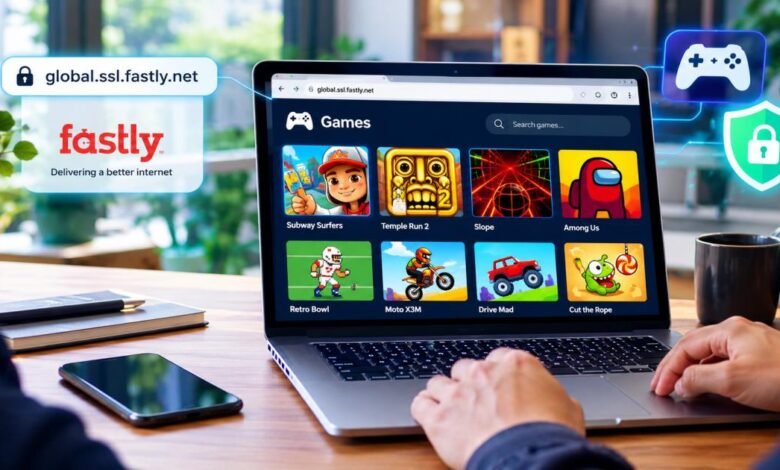
Global.ssl.fastly.net games are free browser games that reach your screen through Fastly’s content delivery network. The address itself is not a game site. It is a Fastly hostname that many websites use to deliver files quickly over HTTPS. Some game portals create subdomains such as games.global.ssl.fastly.net or gaming-escape.global.ssl.fastly.net and place their collections behind them. You open a link, the browser pulls the game files from a nearby Fastly server, and the game runs in your browser. No install is required in most cases. Safety depends on the page you land on, not the Fastly address alone.
This guide walks through every practical question players ask: what the domain actually is, which kinds of games appear, how to open them, what risks exist, and how to fix common problems.
What Are Global.ssl.fastly.net Games?
Understanding the Global.ssl.fastly.net Address
Global.ssl.fastly.net is a pattern Fastly gives its customers. A company signs up for Fastly, creates a service, and can attach a name that ends in .global.ssl.fastly.net. That name receives HTTPS traffic right away. When your browser requests a file from that address, Fastly’s edge servers respond first. If the file is already cached nearby, it will arrive quickly. If not, Fastly fetches it from the customer’s origin server and keeps a copy for the next visitor.
You will often see this domain in the Network tab of your browser’s developer tools while a free game loads. The game page itself may sit on a different domain, yet many of its images, scripts, or sound files travel through Fastly. The search term “global.ssl.fastly.net games” frequently appears for this reason.
What Is Fastly and How Does It Work?
Fastly operates a global network of servers. These servers sit close to users so popular files do not have to travel across oceans every time. The company also provides basic protection against large traffic floods and common web attacks. Many large game publishers and free-game portals use Fastly or similar networks because players hate waiting for assets to load.
A typical free browser game needs HTML, JavaScript, images, and sometimes audio. Fastly can cache all of those pieces. The result is a shorter wait before the first level starts. The network does not create the games. It only moves the files.
Is Global.ssl.fastly.net a Gaming Website or a Content Delivery Address?
It is a content delivery address. Fastly does not run a public game library. Individual customers choose the content that is served through their Fastly service. Some customers build simple unblocked-style portals and choose names that include the word “games.” Those pages can look like classic free-game sites. Some people utilize the same Fastly pattern for different types of content. Always check the full page, the ads, and the publisher before you play.
How Do Global.ssl.fastly.net Games Work?
How Browser Games Load Through a Web Address
A free browser game is a set of files your browser understands. When you click a link, the browser asks for the main page first. Then it asks for every script, image, and sound the page needs. If the site uses Fastly, some or all of those requests go to a global.ssl.fastly.net hostname or a similar Fastly address. The browser never leaves your device. The game runs inside the tab.
You can watch the process yourself. Open the developer tools (usually F12), switch to the Network tab, and reload the game. You will see rows that list global.ssl.fastly.net or a customer subdomain as the source.
The Role of Fastly in Delivering Online Game Content
Fastly keeps copies of static files near players. A puzzle game’s tile images or a racing game’s track data load from a server only a few hundred miles away instead of from a distant origin. That cuts wait time. For multiplayer browser titles the same network can carry small real-time messages if the developer designs the game that way. The speed gain is real, yet the quality and safety of the game still belong to the site owner.
Why Some Games Use Fastly Subdomains
Game sites pick Fastly because it gives them HTTPS quickly and spreads load across many locations. Creating a name such as games.global.ssl.fastly.net lets the owner start serving secure traffic without first buying and installing a full certificate for a custom domain. Players see the padlock icon and feel more comfortable. The owner still controls every game and every advertisement that appears.
What Types of Games Can You Find?
Arcade and Casual Games
Simple endless runners, matching games, classic snake clones, and one-tap jumpers appear often. These titles load in seconds and work on most phones and school computers. They need almost no processing power, so even older devices handle them.
Puzzle and Brain Games
Many pages feature Sudoku boards, word searches, match-3 games, and physics puzzles. The files are small, so Fastly’s cache keeps them ready. Most of these games stay free and never ask for a download.
Racing and Action Games
Lightweight racing tracks and basic platform or shooting games also appear. The graphics are kept simple to ensure the browser maintains a steady frame rate. On a slow connection, the initial load may take a few seconds. However, once the assets are cached, subsequent loads will start more quickly.
Multiplayer and Other Browser Games
Some portals host light multiplayer rooms or popular unblocked-style titles. You may see simplified Minecraft-style worlds, quick battle games, or sports simulations that run entirely in the browser. Quality ranges from polished to rough. Always test the controls and check for aggressive pop-ups before you settle in for a long session.
How to Access Global.ssl.fastly.net Games
Opening a Game Link in Your Browser
Please copy and paste the full link into your browser, such as Chrome, Firefox, Edge, or Safari. Confirm the address begins with https. Wait until the page finishes loading. Click the game you want. Ignore large “Download now” buttons and random pop-ups that appear around the play area.
Playing Games on a Computer, Tablet, or Smartphone
Most of these games work on desktop, laptop, tablet, and phone. On touch screens the keyboard controls usually become on-screen buttons. Performance depends on the device’s processor and your internet speed. Close extra tabs so the browser has more memory.
Do You Need an Account or a Download?
Almost never. Pure browser games start without an account and without installing anything. Some sites invite you to create an account for high-score boards or cloud saves. Others show ads or optional in-game purchases. You can play the majority of titles without signing up or downloading a single file.
What to Do If a Game Does Not Load
Refresh the page once. Clear the cache for that site only. Try a second browser. Turn off extensions that block scripts. Check your internet connection. If the page still shows a blank screen or a Fastly error message, the specific customer service is likely offline or misconfigured. Move on to a different, trusted game site.
Are Global.ssl.fastly.net Games Safe?
Understanding the Difference Between Fastly and a Game Website
Fastly is a real company that many large websites trust. The global.ssl.fastly.net address is part of its infrastructure. That fact does not make every page that uses the address safe. Safety comes from the content the customer places on the service. A clean game collection can sit behind Fastly. A page packed with malware ads can sit behind the same network.
Does HTTPS or an SSL Certificate Guarantee Safety?
HTTPS encrypts the connection so outsiders cannot easily read the data that travels between you and the server. The padlock icon means the traffic is encrypted. It does not mean the site is honest or free of unwanted software. Scam pages and heavy-ad portals also use HTTPS. Judge the actual page, not the lock icon.
Potential Risks From Ads, Redirects, Downloads, and Fake Links
Common risks include pop-up ads that lead to fake download pages, unexpected redirects to phishing forms, prompts that urge you to “update a player,” requests for personal information, and harmful scripts that try to install unwanted programs. These problems appear on many free game sites, whether or not they use Fastly.
How to Check a Game Link Before Opening It
Read the full URL carefully. Hover over every link to see the real destination. If the page demands a download or asks for a credit-card number just to start a simple game, leave. Prefer sites that show clear ownership information and a privacy policy.

Are Global.ssl.fastly.net Games Free to Play?
Free Browser Games vs. Paid Games
Most games that appear under this address start free. You open the page and play. Paid games usually live on official stores and require a purchase or subscription. They rarely rely on public Fastly subdomains for the main experience.
Advertisements and In-Game Purchases
Free games often display ads. Some offer optional purchases for extra lives, skins, or an ad-free mode. You can finish most sessions without spending money. Take the time to read each payment screen thoroughly before entering your card details.
Hidden Costs and Subscription Warnings
Watch for unclear buttons that sign you up for recurring charges. Some pages hide the fine print. Never enter payment information unless you deliberately choose to buy something from a source you already trust.
Benefits and Drawbacks of Browser Games
Advantages of Playing Games Online
No install is needed.You can start a game on almost any device that has a modern web browser. Many titles cost nothing. When a CDN such as Fastly serves the files well, the wait before the first level is short. You can switch games in seconds.
Common Limitations and Performance Issues
Graphics and physics stay simpler than native PC or console titles. Heavy multiplayer rooms can lag on weak connections. Ads interrupt play. Phone batteries drain faster than they do with carefully optimized native apps.
Browser Compatibility, Internet Speed, and Device Requirements
The latest versions of Chrome, Firefox, Edge, and Safari provide the best performance. Older browsers may struggle with newer JavaScript or WebGL. A steady internet connection helps. Low-power devices may drop frames on more complex games.
Global.ssl.fastly.net Games vs. Other Online Gaming Platforms
Browser Games vs. Downloadable PC Games
Browser games need no install and work across devices. Downloadable PC games usually offer richer graphics, deeper systems, and offline play, yet they take storage space and time to set up.
Browser Games vs. Mobile Gaming Apps
Browser games skip the app store. Mobile apps can use device sensors, send notifications, and work offline more easily. Apps also pass through store review, which removes some obvious risks.
How to Choose a Reliable Gaming Platform
Look for clear ownership, a readable privacy policy, and a long track record. Avoid sites that force downloads or push aggressive upsells. For shared or school computers, stick to simple HTML5 games that ask for no extra permissions.
Tips for Playing Online Games Safely
Use an Updated Browser and Operating System
Keep both the browser and the operating system current. Updates close security holes that unwanted software can use.
Avoid Suspicious Downloads and Unnecessary Permissions
Never download players, toolbars, or “boosters” from free-game pages. Only grant camera, microphone, or location access if essential and you trust the publisher.
Protect Personal Information and Gaming Accounts
Do not reuse passwords. Avoid entering real names, email addresses, or phone numbers on unfamiliar free game websites. Use a password manager and two-factor authentication on any account that matters to you.
Use Parental Controls for Children
Turn on browser safe-search and parental controls. Review the games children open. Prefer known kid-friendly portals over random free-game links.
Common Problems With Global.ssl.fastly.net Games and Their Fixes
Website Not Loading or Showing an Error
Test your internet connection. Try a different network. Clear the DNS cache. If If the specific Fastly service is down, the page will remain unavailable until the customer resolves the issue.
Game Stuck on a Loading Screen
Refresh once. Temporarily turn off ad blockers if the game needs certain scripts. Close other tabs to free memory. Confirm that WebGL or hardware acceleration is enabled in the browser settings.
Browser Blocking Game Content
Modern browsers block mixed content or aggressive trackers. Allow the site only if you trust it, or switch to a different browser. Keep tracking protection at a balanced level rather than the strictest setting while you play.
Slow Performance, Freezing, or Connection Issues
Lower any graphics options the game offers. Use a wired connection or stronger Wi-Fi when possible. Close background apps. On a phone, switch to a less crowded network if one is available.
Final Verdict: Should You Use Global.ssl.fastly.net Games?
Global.ssl.fastly.net is a Fastly content-delivery address. It is not a game library. Some free browser games and unblocked-style portals use Fastly so their files reach players quickly. The games can be free and enjoyable, yet safety rests entirely on the specific page, the ads it shows, and the company behind it.
Before you play, read the full URL, skip downloads, ignore suspicious pop-ups, and keep your browser updated. Prefer established browser-game sites that list clear ownership and maintain good reputations. Treat any random link that happens to use a global.ssl.fastly.net subdomain with the same caution you give any free online content.
Used carefully, these browser games offer a quick way to pass time. Used carelessly, they can lead to unwanted ads or worse. Stay alert, keep software current, and choose sources you already trust when you can.
Frequently Asked Questions About Global.ssl.fastly.net Games
What is global.ssl.fastly.net games?
Global.ssl.fastly.net games are free browser games that load their files through Fastly’s global.ssl.fastly.net content-delivery hostname or customer subdomains that follow the same pattern.
Is global.ssl.fastly.net an official gaming website?
No. It is a Fastly content-delivery address. Individual customers choose the content that is displayed behind it.
Can I play global.ssl.fastly.net games for free?
Most games that appear this way start free, though they often display ads or offer optional purchases.
Do global.ssl.fastly.net games work on mobile devices?
Yes. Most modern browser games run on phones and tablets as long as the browser supports the required technology.
Do I need to download anything to play?
Usually no. These are browser games. Leave any site that insists you download a player or installer.
Is global.ssl.fastly.net safe to visit?
The Fastly network itself is legitimate. Safety depends on the specific content the customer is serving. Check each page carefully.
Why is global.ssl.fastly.net not working?
The particular Fastly service may be offline, misconfigured, or blocked. Refresh, clear the cache, or try another network. If the problem continues, the game page itself is unavailable.
Can children play browser games safely?
Yes, with supervision, parental controls, and careful site selection. Prefer known kid-friendly portals over random free-game links.