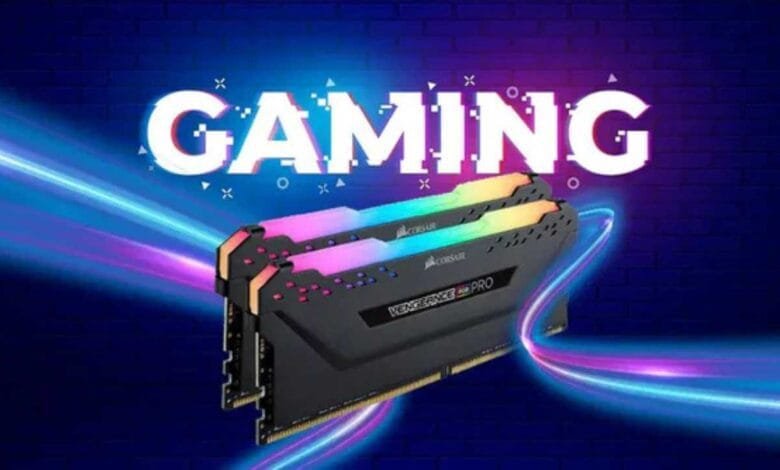
One of the most misunderstood components of a gaming computer is usually Random Access Memory (RAM). RAM subtly has a significant impact on how smoothly your games run, even though everyone is fixated on graphics cards and CPUs. Your system’s RAM is always working in the background, whether you’re playing strategy games with thousands of units, open-world adventures, or fast-paced shooters.
Let’s take a moment to think about what RAM actually does in connection to other components of your gaming setup. You can get a better idea of how each important piece of hardware works, particularly when it comes to gaming performance, from the table below:
| Component | Primary Role in Gaming | Impact on Gaming Performance |
| CPU | Handles calculations, physics, and AI | Very High |
| GPU | Renders graphics, animations, and visual effects | Extremely High |
| RAM | Temporarily stores data for fast access | High (especially in modern games) |
| Storage (SSD/HDD) | Loads game assets and stores game data | Moderate (SSD recommended for load times) |
This condensed comparison demonstrates that RAM has a major impact on how responsive and stable your gaming experience is, even though it might not directly increase frame rates like a top-tier GPU. RAM speeds up data access, cutting down on the amount of time your CPU and GPU must wait for resources and instructions.
Let’s delve a little further now. In 2025, how much RAM is actually required to enjoy gaming? Is there such a thing as too much, and what happens if you have too little? Here is another helpful table that breaks down different RAM sizes and what kind of gaming experience you can anticipate from each to help answer that question:
| RAM Capacity | Gaming Performance in 2025 | Recommended For |
| 4GB | Severe limitations; most modern games are unplayable | Only retro games and very light indie titles |
| 8GB | Bare minimum for gaming; stuttering in newer titles | Budget systems, older or lightweight games |
| 16GB | Ideal for most gamers; handles AAA titles with ease | Mainstream gamers |
| 32GB | Excellent for multitasking and high-end gaming | Streamers, modders, multitaskers |
| 64GB+ | Rarely needed for gaming alone; useful for creatives | Developers, video editors, 3D artists |
16GB is obviously now the new norm. In addition to supporting background tasks like Discord, game launchers, and even light browser usage, it allows you enough breathing room to play contemporary titles smoothly.
Why RAM Matters for Gaming Smoothness and Responsiveness
First things first: RAM does not directly increase your frame rate, at least not in the same way that a graphics card upgrade could. RAM, on the other hand, has an impact on your game’s loading speed, frame rate consistency, and the speed at which textures and levels are available in memory.
Have you ever noticed your game stuttering when you move to a new area or textures loading slowly? Usually, that is RAM being overloaded. Your system offloads some data to the page file on your storage drive when there isn’t enough room, and even the fastest SSDs can’t match RAM speeds.
For instance, new assets are continuously streamed in open-world games such as Cyberpunk 2077, Red Dead Redemption 2, and Starfield. Data bottlenecks brought on by insufficient RAM can occasionally make your game feel sluggish or even unplayable.
RAM Speed and Latency – Do They Matter in Gaming?

Yes, but perhaps not in the manner you had anticipated. The speed at which your CPU can retrieve and write data to memory is influenced by RAM speed, which is expressed in megahertz (MHz), and latency (CL – CAS latency). In CPU-intensive games or titles that continuously transfer data between memory and the processor, faster and lower-latency RAM can marginally improve performance.
Games such as:
- Valorant
- CS: GO
- Cities: Skylines II
- Microsoft Flight Simulator
Faster RAM is more advantageous than GPU-bound games like Assassin’s Creed Valhalla or The Witcher 3.
Even if the average FPS doesn’t increase dramatically, games can run more smoothly with a higher speed (e.g., 3600MHz) and a lower latency (e.g., CL16), especially when it comes to minimum frame rates. This makes the gameplay more stable and less “choppy.”
Dual Channel vs. Single Channel: It’s Not Just a Buzzword
Performance can be significantly impacted by whether your RAM is operating in single-channel or dual-channel mode, something that many gamers ignore. The memory controller’s theoretical bandwidth can be doubled by using dual-channel to access two memory sticks at once.
Thus, if you have to choose between:
- A single-channel 16GB stick
- Two dual-channel 8GB sticks
For gaming, the dual-channel configuration is nearly always superior. During memory-intensive sequences, you’ll observe decreased lag, enhanced responsiveness, and quicker load times.
Why You May Need More RAM
16GB may be more than enough for gaming alone, but if you’re doing more, such as streaming, recording gameplay, or using mods, your RAM needs quickly increase. Web browsers, chat overlays, background apps, and streaming software like OBS all compete for memory.
For instance:
- Gaming plus streaming equals about 20GB of RAM.
- Highly modified Skyrim requires 18–22 GB of RAM.
- Playing games and editing videos requires 24-32GB of RAM.
This is where 32GB becomes a smart investment because, when your RAM isn’t used to its fullest, your system performs better overall, not because the game requires it.
Can Too Much RAM Be a Waste for Gaming?
Of course. Your FPS and graphics won’t magically improve if you throw 64GB or 128GB into your gaming PC. You won’t use that additional memory unless you’re also using your computer for demanding creative tasks (such as software development, music production, or 4K video editing).
RAM that isn’t being used is just idle. Therefore, unless your workflow requires it, stick with 16–32GB and use the remaining funds to upgrade your GPU or SSD.
How to Monitor RAM Usage While Gaming
Knowing whether you’re truly using all of your RAM is crucial. Here’s how to make sure:
Task Manager → Performance tab (Ctrl + Shift + Esc)
- HWInfo or HWMonitor software overlays for
- MSI Afterburners
It’s time to upgrade if you’re constantly using more than 90% of your RAM when playing games. However, you still have headroom if you’re only using 10–12GB while playing games.
Final Thoughts
Even though RAM isn’t the most visually appealing part of your gaming setup, it has a significant impact on your gameplay. It acts as the unseen powerhouse in the background, managing game data, enabling smooth transitions, reducing lag, and optimizing CPU and GPU performance. Having the proper amount and configuration of RAM can make the difference between flawless performance and frustration, whether you’re running multiple background apps, streaming live to an audience, or playing the newest AAA release.
In 2025, most gamers still favor 16GB of RAM. It is sufficient to run contemporary games, facilitate moderate multitasking, and provide steady performance. It makes sense to upgrade to 32GB if you’re a streamer, modder, or content creator. Anything more than that, however, is probably overkill unless you’re doing a lot of professional work.
FAQs About What Does RAM Do for Gaming
Q1: Does increasing RAM enhance game frame rate?
A: Not right away. Increasing RAM improves stability, reduces stuttering, and speeds up asset loading. FPS only goes up if your system was previously slowed down by inadequate memory.
Q2: In 2025, how much RAM will be sufficient for gaming?
A: For the majority of gamers, 16GB is ideal. 32GB is ideal for streaming, multitasking, and running demanding mods. Gamers rarely need anything more than that.
Q3: Does gaming benefit from faster RAM?
A: Definitely, particularly for competitive or CPU-intensive games. Smoother gameplay can be achieved by lowering latency and increasing minimum frame rate with faster RAM.
Q4: Is it possible to combine RAM sticks of various brands and speeds?
A: It’s not advised, but you can. Instability or crashes may result from mismatched RAM, and the system will automatically use the slowest stick.
Q5: Which is better for gaming, 1x16GB or 2x8GB of RAM?
A: Dual-channel memory improves performance and bandwidth, so 2x8GB is preferable.
Q6: Do background apps impact the amount of RAM used for gaming?
A: Definitely. RAM is consumed by launchers, chat programs, browsers, and overlays. To help free up valuable memory, close them before gaming.
Q7: Will games in the future require more RAM than 16GB?
A: Probably, particularly as the complexity of games increases. 32GB is already advantageous for some contemporary titles. However, for the majority of players, 16GB is still more than enough.





One Comment