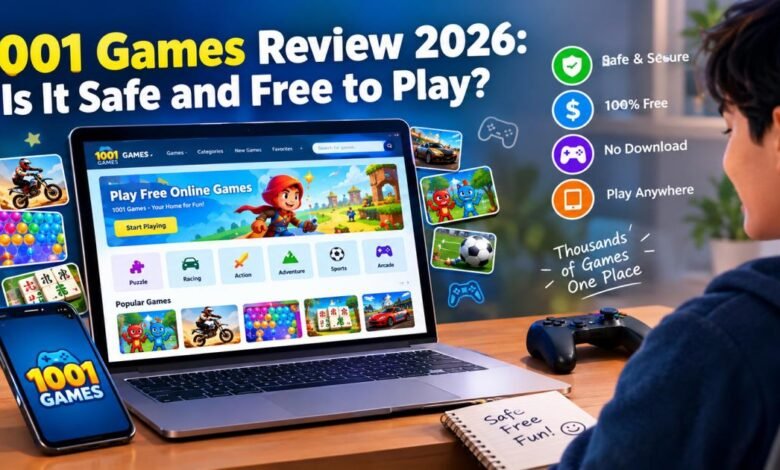
1001 Games is safe for most players and completely free to use . You open the official site, pick any game, and start playing in your browser with no downloads and no payment. Ads keep the site running, but the games themselves cost nothing.
This review walks through what 1001 Games is, who runs it, safety details, how free access works, popular titles, mobile and PC use, common problems, and how it compares with similar sites. The goal is straightforward information so you can decide if it fits your needs.
What Is 1001 Games?
1001 Games is a free browser-based gaming site that hosts more than 3,500 titles. You visit the page, choose a game by category or search, and play right away. No install. No app required for the main experience.
The library focuses on casual games that suit short sessions. Categories include puzzles, racing, action, sports, multiplayer, kids games, and board games. New titles appear regularly.
How Does 1001 Games Work?
Games load inside your web browser using standard HTML5 technology. You browse the homepage, popular section, or new releases. Click a title and it starts. Controls use mouse, keyboard, or touch on phones.
An optional free account lets you mark favorites and see recently played games. You never need an account to play.
Who Owns and Operates 1001 Games?
Admeen B.V., a Dutch company based in Hattemerbroek, Netherlands, operates 1001 Games. The company is registered with the Dutch Chamber of Commerce under number 08154287. The domain 1001games.com has existed since 2002. The current platform has run under Admeen since around 2007. The company manages several similar free game portals aimed at casual players.
Why Do People Choose 1001 Games?
Players pick 1001 Games for quick access and variety. You get instant play without payments or installs. The selection covers classic titles, racing, puzzles, and family-friendly options. Traffic data shows the site draws hundreds of thousands to over a million visits per month, with many users in the United States.
Is 1001 Games Safe and Legit?
Safety questions come up often with free game sites. Here is what the information at hand indicates.
Is 1001 Games a Legitimate Site?
Yes. Independent checkers rate it as low risk. One trust service scored it 100 out of 100 with no major flags. Another lists it as very likely safe. The site has run for many years, uses HTTPS, and belongs to a registered company with a public address and contact details. Terms of use appear clearly on the site.
Can You Get Viruses From 1001 Games?
The official site does not distribute malware. Games run inside the browser and do not require downloads from the platform. Third-party ads can appear, as they do on most free game sites. Stay on the official address https://www.1001games.com, keep your browser and antivirus current, and skip suspicious pop-ups. An ad blocker further reduces unwanted ads. Risk stays low when you follow these steps.
Does 1001 Games Collect Personal Information?
You can play without sharing any personal details. An optional account saves favorites and play history. The website uses cookies to enable essential functions. Terms state users should be at least 16 or have parent permission. Review the current privacy details on the site if you create an account.
Is 1001 Games Safe for Kids?
The site offers kids categories with dress-up, animal, and simple puzzle games. Many titles suit younger players. Ads still appear, and content varies. Parental supervision works best. Parents can guide kids to age-appropriate sections and set time limits.
Practical Ways to Stay Safe
- Use only the official site: https://www.1001games.com
- Keep browser and antivirus updated
- Consider an ad blocker
- Avoid downloads from unofficial sources
- Skip personal details in any pop-ups
- Supervise younger players
These habits apply to most free online game sites.
Is 1001 Games Completely Free?
Yes. Every game on the site is free to play. No paywalls lock content. You can play as long as you want without spending money.
Are There Hidden Fees or Purchases?
No required fees exist. Some individual games may offer optional in-game items, but you never need them for the main experience. The platform itself charges nothing for access.
Does 1001 Games Show Ads?
Yes. Ads support the free model. You may see them before games start or around the page. Frequency matches other free browser game sites. An ad blocker cuts most of them.
Do You Need an Account or Subscription?
No. Play starts without registration. A free optional account unlocks favorites and recent history. No paid subscription exists.

How to Play Free Online Games on 1001 Games
Getting started takes under a minute.
Step 1: Visit the Official Site
Open your browser and go to https://www.1001games.com. Double-check the address.
Step 2: Browse by Category
Use the menu or homepage sections. Options include puzzle, racing, action, multiplayer, sports, kids, and board games. Sort by popular or new if you prefer.
Step 3: Pick a Game and Play
Click any title. It loads in the browser. Most games show simple controls and short instructions.
Step 4: Save Favorites (Optional)
Create a free account if you want to mark favorites or check recently played games. This step is never required.
What Types of Games Can You Play?
The library covers several main groups.
Puzzle and Brain Games
Mahjong variants, Bubble Shooter, Solitaire, Sudoku, and matching games. These suit short mental breaks.
Racing and Car Games
Moto X3M series and other stunt or driving titles. Timing and control matter most.
Action and Adventure Games
Platformers and cooperative titles. Fireboy and Watergirl stands out here.
Multiplayer and Two-Player Games
Local two-player options and some online multiplayer. Useful for shared play on one device.
Sports and Arcade Games
Basketball, soccer, and classic arcade-style titles. Rounds stay short.
Educational and Casual Games
Kids-focused dress-up, animal care, and light learning games. Casual titles fill the rest of the collection.
What Are the Most Popular Games on 1001 Games in 2026?
Certain titles stay near the top year after year.
Fireboy and Watergirl
Two characters move through temple levels. One player controls both or friends take turns. Multiple sequels exist with different themes.
Moto X3M
Motorcycle stunt racing with flips, jumps, and tight tracks. Special versions such as the winter edition add variety.
Bubble Shooter
Aim and shoot colored bubbles to clear the board. Easy rules and relaxing pace.
Mahjong Connect
Match pairs of tiles by connecting them. Themed versions keep the formula fresh.
Other frequent top titles include Geometry Arrow, Solitaire Classic, and various quick skill games.
Key Features of 1001 Games
Browser Play With No Downloads
Games open directly in Chrome, Firefox, Safari, Edge, or mobile browsers.
Large Free Library
More than 3,500 titles across many styles give plenty of choice.
Clear Categories and Search
Menus and filters assist you in quickly locating games.
Favorites and Recent History
Optional account features track what you like.
Regular New Releases
Fresh games appear often so the selection does not stay static.
Can You Play 1001 Games on Mobile and PC?
Yes. The site works on both.
On Android and iPhone
Launch the mobile browser and navigate to the website. Most games support touch. Performance depends on your device and connection. Third-party apps appear in stores, but the official website remains the most complete and reliable option.
On Windows and Mac
Any current browser works. Desktop often gives the smoothest experience for keyboard and mouse games.
Do You Need an App?
No, the browser version includes the entire library. Separate apps from other developers are optional and sometimes limited.
Pros and Cons of 1001 Games
Advantages
- Free access with no subscription
- Large game selection
- Instant browser play on phone or computer
- Optional account for favorites
- Regular new titles
- Suitable for casual and family use
- Long operating history and positive trust ratings
Limitations
- Ads appear regularly
- Some games load slowly on weak connections
- Occasional browser quirks
- Quality varies across the large library
- No offline play
1001 Games Compared With Other Free Sites
Versus CrazyGames
CrazyGames offers a large library with strong multiplayer focus. 1001 Games leans more toward casual and family-friendly variety. Both stay free and browser-based.
Versus Poki
Poki emphasizes polished, curated titles and a clean layout. 1001 Games provides broader classic and casual options with straightforward categories. Choice depends on whether you prefer curated picks or wider variety.
Best Fit for Casual Players
For short sessions and family play, 1001 Games works well. Its mix of puzzles, racing, kids games, and classics fits quick entertainment. Players who want heavy multiplayer may prefer other platforms. Many people use more than one site.
Common Problems and Fixes
Games Not Loading
Check your connection. Clear browser cache and cookies. Try a different browser. Disable extensions temporarily. Please verify that you are on the official website . Update your browser.
Freezing or Lag
Refresh the page. Close extra tabs. Switch to stronger Wi-Fi. Restart the browser.
Browser Compatibility Issues
Please use an up-to-date version of Chrome, Firefox, Edge, or Safari. Enable JavaScript. Avoid outdated browsers. On mobile, switch between Chrome and the default browser if needed.
Is 1001 Games Worth Playing in 2026?
Who Should Try It
Casual players, families, kids with supervision, and anyone who wants free browser games without downloads or accounts. It suits short breaks and shared play on one device.
Who Might Prefer Something Else
Players who want advanced multiplayer, high-end graphics, offline packages, or completely ad-free play may look elsewhere.
Overall Verdict
1001 Games offers solid free value for casual use. The large library, instant access, and no cost make it practical. Ads remain the main trade-off. Safety stays reasonable when you stick to the official site and basic online habits.
Final Thoughts
If you want free online games that start quickly and cover many styles, 1001 Games is worth trying. Stay on the official site, watch for ads, and supervise younger players. For most casual users it provides a reliable, no-pressure way to play.
Frequently Asked Questions
Is 1001 Games free without registration?
Yes. You can play every game without creating an account.
Is 1001 Games safe for children?
Many games suit families, but supervision is recommended because of ads and mixed content.
Can I play without downloading anything?
Yes. Everything runs in the browser.
Can you play 1001 Games offline?
No. An internet connection is required.
Does 1001 Games work on mobile phones?
Yes. Mobile browsers support most games with touch controls.
Are there multiplayer games?
Yes. Local two-player and some online multiplayer options exist.
Why is 1001 Games not working?
Common causes include connection problems, an outdated browser, or temporary site issues. Please refresh the page, clear your cache, or try using a different browser.
What is the official 1001 Games website?
This information reflects publicly available details about the platform in 2026. Check the current terms and privacy page on the official site for any updates.