GameKit is a toolkit that helps developers add social and multiplayer features to games in a way that feels native and fast. If you are building a game and want reliable tools for player authentication, leaderboards achievements, matchmaking and cloud saves then this guide will walk you through everything you need to know. This article explains what GameKit is, how it works, where it shines and where it may not be the right choice. You will find practical setup tips, best practices and a balanced view of pros and cons that help you decide and act.
This guide is written in plain language and designed to be useful whether you are a solo developer or part of a studio. Technical terms are explained and each section includes actionable steps or checklists you can use right away. Citations to authoritative sources are included in bracketed form so you can confirm details in official documentation if desired.
Quick summary
GameKit provides a set of native APIs for adding features like authentication leaderboards achievements, voice chat invitations and matchmaking. It is tightly integrated with platform services so it simplifies many common tasks for game developers.
GameKit works well for games that want to rely on native platform identity and social features. It may be less suitable when you require full control of multiplayer servers or advanced cross platform matchmaking beyond what the platform supports.
What is GameKit
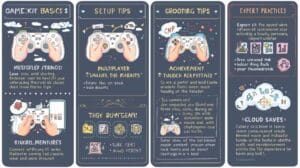
GameKit is a toolkit and API collection that gives games access to platform level social features. These features usually include player sign in secure identifiers cloud storage for small game data leaderboards achievements invitations and multiplayer matchmaking services. GameKit aims to make it easy for developers to add these features with minimal backend work while taking advantage of the platform’s built in security and user base.
GameKit is typically used by games on mobile and desktop environments where the platform already provides user accounts and social graphs. Because it uses native identity features it can be more convenient than rolling your own authentication and social stack.
Key features at a glance
- Player authentication and secure player identifiers
- Leaderboards for scores and rankings
- Achievements and progress tracking
- Turn based and real time multiplayer matchmaking
- Voice or text chat integration in some platforms
- Cloud saves for small game state and settings
- Player profiles and friend lists
- Invitations and presence indicators
How GameKit fits in your game architecture
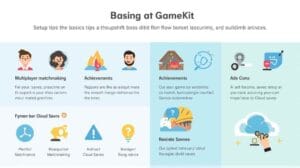
GameKit handles social and account based features while your game handles game logic rendering physics and art. In many projects GameKit replaces parts of the backend that would otherwise handle player identity and leaderboards. Typical division of responsibility looks like this
- Client side game logic and rendering
- GameKit for authentication leaderboard and social features
- Optional game servers for authoritative multiplayer logic and persistent world state
- Analytics and other third party services for telemetry and monetization
Benefits of using GameKit
- Fast integration with native features
- Reduced backend complexity
- Strong platform proven security for identity and anti fraud
- Better user experience for sign in and social interactions
- Lower cost for indie teams who want quick features
Limitations to be aware of
- Platform dependent behavior can vary between devices
- Less control over cross platform multiplayer experience
- Limits on data stored in cloud saves
- Potential vendor lock in if you use many platform specific features
Getting started with GameKit
Prerequisites
- A developer account for the target platform
- Basic knowledge of the game engine or programming environment you use
- A plan for where GameKit features will integrate into your game flow
Setup checklist
- Create a developer account and set up a project entry for your game with the platform
- Enable GameKit or the related service for your project in the developer portal
- Configure app identifiers and entitlements that grant permission to use GameKit features
- Add the GameKit SDK or framework to your game project
- Implement player authentication early so you can test other features
- Test leaderboards and achievements in a sandbox or test environment before release
- Perform device to device tests for multiplayer features with real network conditions
Authentication basics
Most GameKit workflows start with authenticating the player. Authentication proves the user identity and provides a secure player identifier that you can use across sessions.
Common authentication steps
- Request permission to use platform identity
- Present a native sign in dialog or rely on existing signed in user
- Receive a secure player identifier token
- Use the token to access leaderboards achievements and matchmaking
Leaderboards and achievements
Leaderboards let players compare scores while achievements reward milestones. Both are generally straightforward to integrate and are useful for retention.
Tips for leaderboards
- Keep leaderboard categories simple and meaningful
- Support different time windows such as daily weekly and all time if platform allows it
- Sanitize input to avoid score injection and cheating
Tips for achievements
- Provide clear and achievable milestones
- Offer a mix of easy and challenging achievements
- Update players with feedback when they unlock achievements
Multiplayer with GameKit
Types of multiplayer support
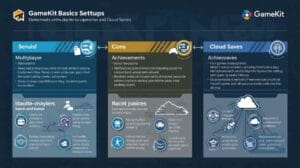
GameKit often includes support for both real time and turn based multiplayer. Real time multiplayer is better for action and live games while turn based suits strategy games and asynchronous play.
Matchmaking flow
- Player requests a match
- GameKit finds peers based on criteria like player skill region and number of players
- GameKit returns a list of connected peers or a match object
- Players connect and begin gameplay using a peer to peer or relay connection depending on platform
Hosting and authority
GameKit can provide peer connections but may not be suitable for authoritative server control required by some game genres. For competitive action games with strong cheat prevention you may still need dedicated servers.
Voice and chat
If the platform supports voice integration GameKit can simplify adding voice chat. Keep privacy and moderation controls in mind and provide voice mute controls to players.
Cloud saves and small data storage
GameKit supports storing small pieces of game state or preferences in the cloud. Use cloud saves for things like player settings, unlocked items and progression state.
Best practices for cloud saves
- Keep saved payloads small and efficient
- Use conflict resolution strategies when multiple devices update the same data
- Provide manual sync options for power users or large state changes
Security and privacy considerations
GameKit benefits from the platform security model. Still you should design responsibly
- Do not store sensitive personal data in plain text
- Follow platform privacy guidelines and permissions
- Validate and sanitize any user generated input
- Implement anti cheat and anti tampering where possible for leaderboards and multiplayer
- Respect user preferences for sharing and presence
Performance and testing
Testing should include both functional and network conditions
- Test on real devices not only simulators
- Simulate poor networks higher latency and packet loss to see how matchmaking and peer to peer perform
- Profile memory and CPU to ensure GameKit use does not add undue overhead
- Test with many concurrent players if your game expects large parties or matches
Common pitfalls and how to avoid them
- Relying on GameKit for large file storage which it is not designed to handle
- Use a dedicated file cloud service for large data
- Not testing cross device platform differences
- Create a test matrix that covers all target devices and OS versions
- Ignoring conflict resolution in cloud saves
- Implement versioning and merge logic for saves
- Assuming matchmaking will be instant in all regions
- Provide fallback logic and user feedback for longer waits
- Provide fallback logic and user feedback for longer waits
Design patterns and examples
Single player game using leaderboards and achievements
- Authenticate player at first launch
- Load player profile and local progress
- Update leaderboards when a level completes and the score improves
- Post achievements at the moment of milestone completion
- Sync cloud saves periodically and on exit
Turn based multiplayer strategy example
- Use GameKit matchmaking to find peers and create a match
- Serialize game state into compact updates and send only deltas
- Use server side validation if you need authoritative checks
- Persist match state to cloud saves so players can resume on different devices
Real time multiplayer race game example
- Use GameKit to connect peers
- Establish a single authoritative host to reduce desyncs
- Use client side prediction for smoother experience
- Periodically reconcile state with authoritative updates
Integrating GameKit with popular engines
GameKit can be integrated with most engines provided they allow native plugin or platform API access. Engines like Unity Unreal and others support native plugins or wrappers that let you call GameKit functions while keeping the game logic in the engine language.
Integration tips
- Use the engine’s native plugin system to wrap GameKit functions
- Expose high level features to game logic so gameplay code remains engine agnostic
- Handle threading and callbacks carefully so you do not block the main game loop
Debugging and logging
- Use platform provided logging tools to capture GameKit errors
- Log key events such as successful authentication match found and connection lost
- Implement retry logic with exponential backoff for transient network failures
- Provide in game diagnostic screens for testers that show player id match status and last sync time
Analytics and telemetry
Track meaningful metrics to understand player behavior and feature health
- Number of sign ins and failed sign ins
- Leaderboard submissions and rejection rate
- Matchmaking requests average wait time and match success rate
- Cloud save conflicts and resolution outcomes
These metrics help prioritize fixes and performance improvements.
Monetization and GameKit
GameKit itself does not handle monetization but it can support monetization indirectly
- Leaderboards and achievements can increase retention
- Multiplayer features can drive engagement which increases lifetime value
- Use analytics to measure if GameKit features improve retention or conversion
Accessibility and inclusivity
When adding GameKit features ensure all players can participate
- Provide alternative interfaces for voice chat with text chat or captions
- Allow players to opt out of social features if they prefer privacy
- Ensure matchmaking includes accessibility options such as slower pace matches
When to use GameKit and when to choose alternatives
Use GameKit when
- You want quick access to platform identity leaderboards and achievements
- You prefer reduced backend complexity
- Your target audience is mainly on a platform where GameKit is robust
Consider alternatives when
- You need full cross platform control for matchmaking and authorization
- You require large scale dedicated servers or advanced server side game logic
- You want to avoid vendor lock in for multi platform releases
Cost considerations
GameKit integration often reduces costs by removing the need for some backend services. However there are indirect costs
- Developer time to integrate and test
- Potential need for additional servers for authoritative gameplay
- Costs related to analytics and monitoring tools used alongside GameKit
Best practices checklist
- Authenticate players at a predictable point in the flow
- Keep cloud saves small and test conflict resolution
- Provide clear UX text around social features to manage expectations
- Test networking under adverse conditions
- Log and monitor matchmaking metrics
- Offer player controls for privacy and voice
- Design leaderboards and achievements to align with gameplay goals
Troubleshooting common issues
Authentication fails
- Check device account status and permissions
- Confirm app entitlements are configured correctly in the developer portal
- Test authentication in the platform sandbox environment
Leaderboard submissions rejected
- Ensure the score format matches leaderboard schema
- Validate input before submitting
- Confirm leaderboard identifiers are correct in code and in the developer console
Matchmaking takes too long
- Broaden search criteria for testing environments
- Provide fallback local matches or AI opponents
- Analyze telemetry to see where players get stuck
Cloud save conflicts
- Implement versioning with timestamps or sequence numbers
- Provide manual conflict resolution UI if automated merge is ambiguous
- Reduce frequency of large writes to avoid constant conflicts
Real world case studies and use patterns
GameKit has helped many small studios ship features faster by offloading identity and social features. Common patterns include
- Solo developer adding leaderboards and achievements to increase retention without maintaining a backend
- Mobile multiplayer party game using GameKit for matchmaking and peer connections while running game logic on a lightweight authoritative host
- Cross device games using cloud saves to let players switch phones or tablets without losing progress
Each pattern shows the value of using platform native services for speedy development and trusted identity.
Privacy compliance and user consent
Respect privacy laws and platform rules
- Request only required permissions and explain why they are needed
- Offer a privacy policy and make sure it is accessible from the app
- Store minimal personal data and use secure storage
- Provide controls to allow users to delete their account data where required
Alternatives and complementary services
Sometimes GameKit is combined with other services for full coverage
- Dedicated multiplayer servers for authoritative gameplay and cheat prevention
- Third party analytics for advanced event tracking
- Cloud storage providers for large file assets and persistent world data
Choosing a hybrid approach can give the best balance of control and speed.
Migration and scaling
When your game grows you may need to move beyond GameKit in some areas
- Add dedicated servers for segmented regions or competitive matches
- Use a custom player identity layer to support cross platform play with a single account model
- Migrate leaderboard or achievement logic to a central service if you need aggregated analytics across platforms
Plan migration paths early so that you can evolve without breaking player data.
Developer community and resources
Engage with developer forums and platform communities which often contain practical solutions to common GameKit issues. Testers and community members often share example code patterns debugging tips and performance advice that accelerate development.
Pros and cons summary
Pros
- Fast access to platform native social and identity features
- Lower backend complexity for many common game features
- Secure and trusted authentication model
- Better user experience for sign in and friend interactions
Cons
- Platform dependency which can complicate cross platform features
- Limits on data size and server side control
- Potential need to add other services as your game scales
Conclusion
GameKit is a practical toolkit for game developers who want to add social features, leaderboards achievements , matchmaking and cloud saves quickly and securely. It is particularly valuable for teams that want to reduce backend complexity and leverage native platform identity. At the same time you should evaluate the limitations and design your architecture so it can evolve if you need more control later.
Start by implementing authentication and simple leaderboards then add matchmaking and cloud saves incrementally. Test thoroughly under real network conditions and pay attention to privacy and conflict resolution in cloud saves. Use telemetry to guide improvements and consider hybrid approaches when scaling. If you follow the practices in this guide you will be well placed to deliver engaging and reliable social features that improve player retention and satisfaction.
References
- [1] Official platform developer documentation and SDK guides
- [2] Developer community forums and technical articles from experienced game engineers
- [3] Platform specific guidelines for authentication leaderboards and matchmaking
- [4] Best practice articles on multiplayer network design and cloud saves
FAQ
What is the easiest GameKit feature to add first
The easiest feature is player authentication. It unlocks leaderboards achievements and matchmaking and is usually a single integration step using native sign in.
Can GameKit handle competitive multiplayer where cheating must be prevented
GameKit can help with matchmaking and connections but for high stakes competitive play you should consider dedicated servers that provide authoritative validation and anti cheat measures.
How large can cloud save data be with GameKit
Cloud saves are intended for small game state and preferences. For large assets or persistent world data use a dedicated cloud storage solution.
Is GameKit cross platform
GameKit is designed for native platform integration. If you need full cross platform play you may need a custom account system or third party service that unifies player identities.
Do I need a developer account to use GameKit
Yes you need a developer account for the platform and you must enable the relevant services and entitlements for your app in the developer portal.
How should I handle save conflicts
Use versioning and timestamps and implement automated merge logic where possible. Provide a clear UI for manual resolution when automatic merging is ambiguous.
Will using GameKit reduce my backend cost
It can reduce some backend costs by offloading identity and social features but you may still need servers for authoritative multiplayer analytics or additional storage.
Where can I find help if I get stuck
Look to official developer documentation platform forums and community resources for code examples debugging tips and best practices